Category: driving seat | 產品試用 | 시험 비행 | 製品トライアル

The driving seat in English has two definitions:

  1. The seat from which a vehicle is operated.
  2. A position of power, dominance, control, or superiority. The second naturally is derived from the first as a metaphor
I used driving seat as a metaphor about being in control, to discuss what a product is like to use. I looked at a range of products:
  • Skype back in 2004, before it became kludgey with a poorly designed interface under Microsoft ownership
  • Veoh – a video platform that was a native client and on the web that went head-to-head with YouTube. The better technology lost out
  • Yojimbo – a great information organisation software app by Bare Bones Software
  • Flip Video Camera – back before cameraphones were ubquitous flip provided an easy way to record and upload video to the web. It encouraged a lot of people to record vox pop video interviews for the nascent YouTube platform
  • The Bing search engine in a direct comparison to Ask.com
  • Sina Weibo
  • A retrospective on the Palm Vx PDA that was my dot.com era ride or die gadget
  • Early Casio G-Shock and Apple Watch smartwatches
  • Hemingway writing software
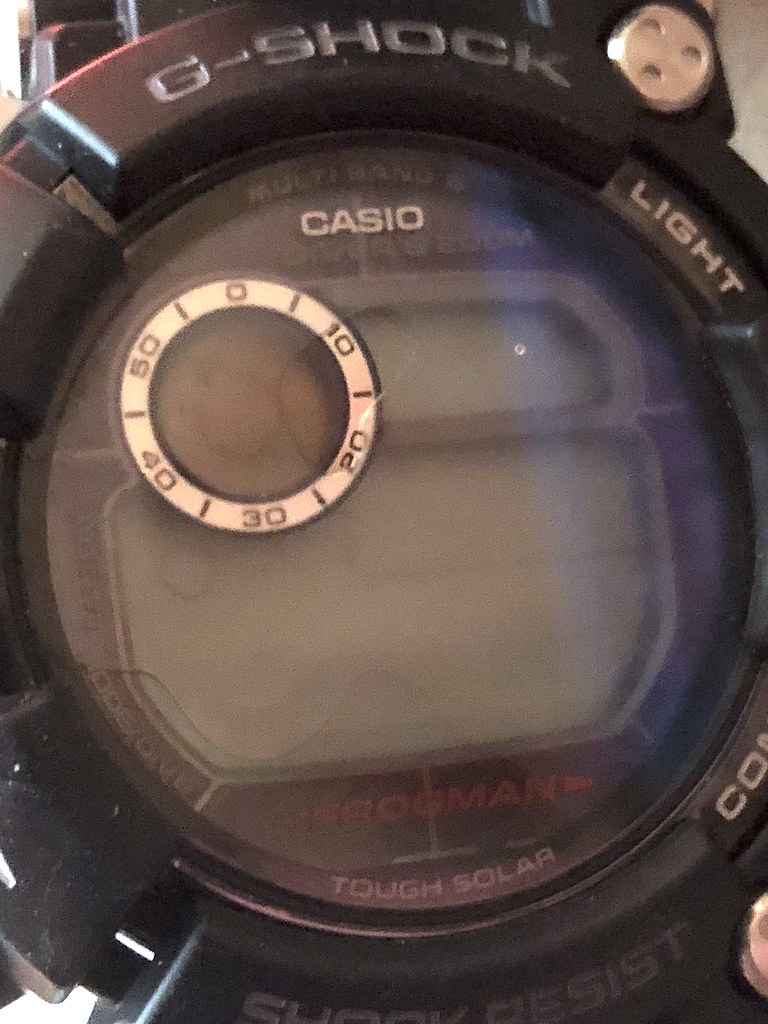
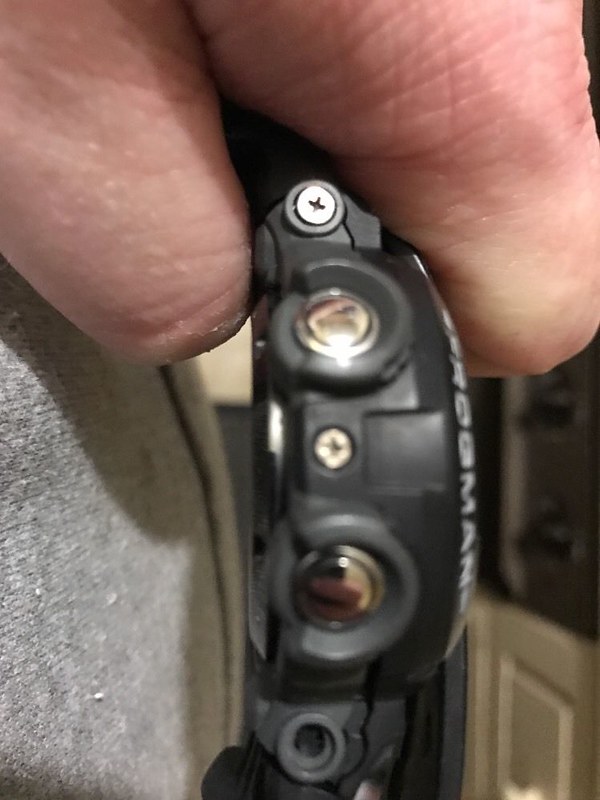
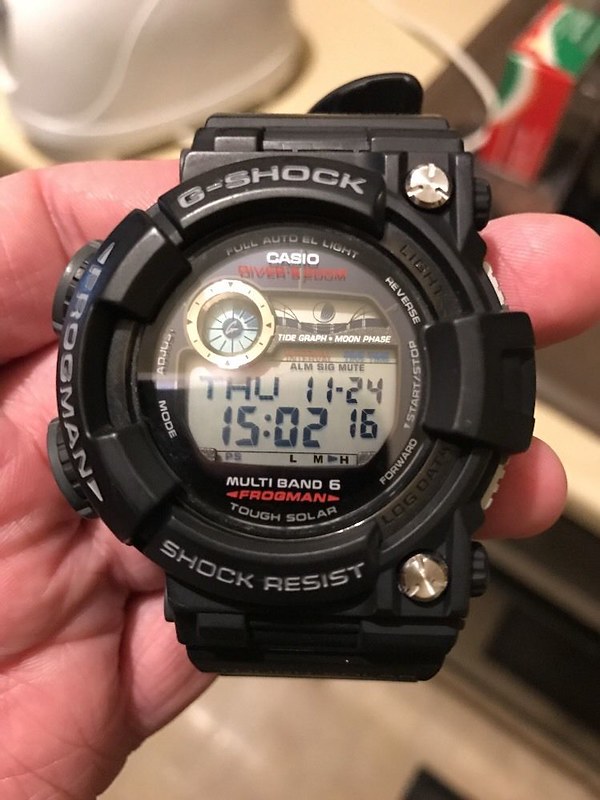
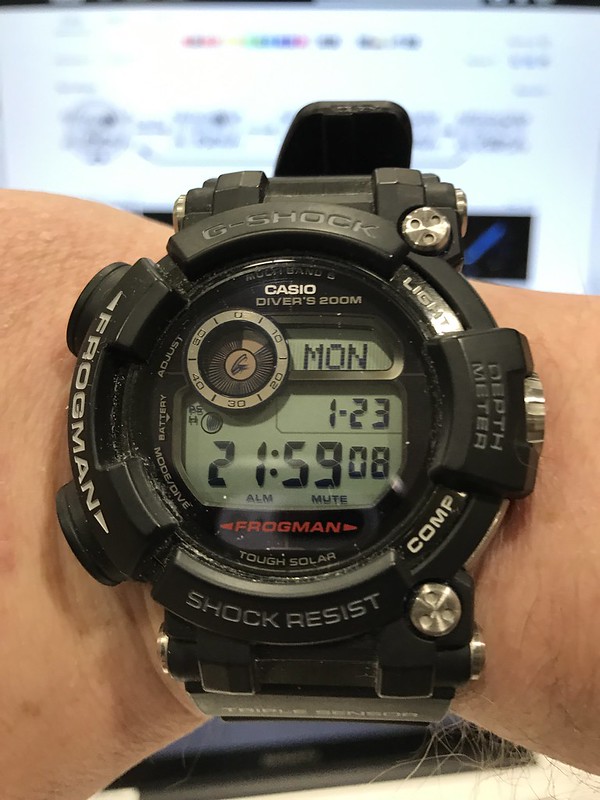
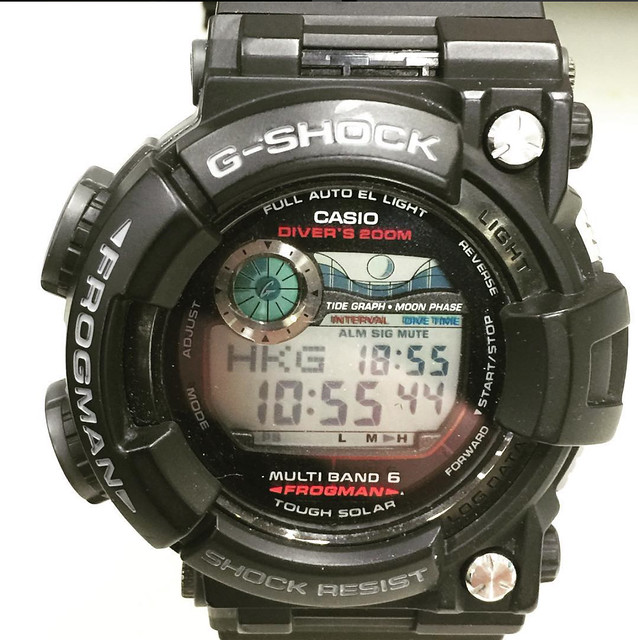
  • Casio G-Shock Frogman
  • A retrospective review of the Nokia n950
  • The Missing Manual series by David Pogue
  • Apple iPhone 12 Max

I have tried to avoid superlatives and give the perceptions of having lived with the products rather than having briefly tested them. Having run review programmes for Huawei and Palm, I understand how short hands-on sessions can be deceptive. Usually this isn’t by design, but due to supply issues; however it is worth bearing in mind when you read the latest review by professional pundits.

  • Hemingway + process

    I use a range of tools including Hemingway as part of my content creation process. This came out when I had a meeting with some junior marketing agency staff last week. The purpose of the meeting was to discuss content strategy across different clients. In the end an good part of the conversation went into process and content creation.

    Given that conversation I thought it might be fruitful to flag up some of the technologies that I use.

    Hemingway

    I use Hemingway ( a web application and a native OSX application) to write. Hemingway has two writing modes:
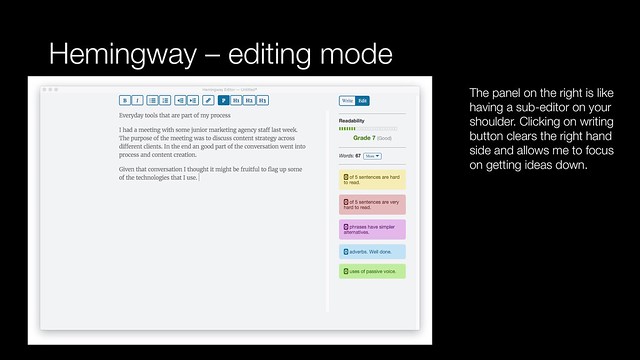
    Hemingway - editing mode
    Editing mode looks at your copy as you create it:

    • It looks at readability providing a reading age score. (Grade six is equates to 11-12 years old). The lower the reading age, the clearer the writing is. It has also aids in SEO
    • It examines sentence structure, the harder a sentence is to read, the more ambiguous it may be.
    • Hemingway suggests simpler alternatives to phases
    • It looks at adverbs and use of the passive voice

    Hemingway is like having a sub-editor sitting on your shoulder at the point of creation.
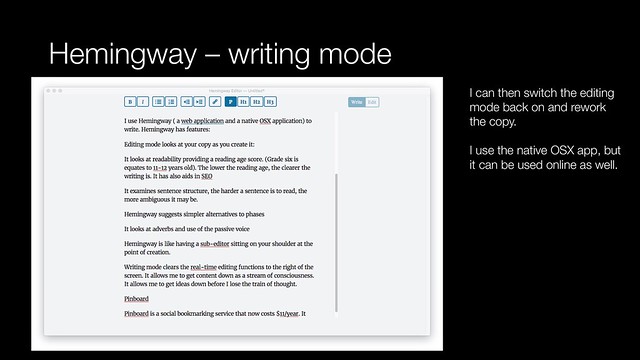
    Hemingway - writing mode
    Writing mode clears the real-time editing functions to the right of the screen. It allows me to get content down as a stream of consciousness. It allows me to get ideas down before I lose the train of thought.

    You can then switch to editing mode to go back and clean up your copy once you have it down.

    The OSX version allows you to save documents down as a HTML file, from which you can cut and paste into a destination. It just works whether its a presentation, document, WordPress or social platforms.

    Pinboard

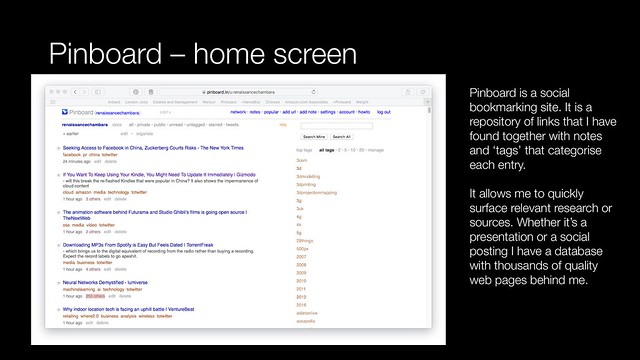
    Pinboard is a social bookmarking service that now costs $11/year. It allows me to store links and notes about websites that I find of interest.
    Pinboard - home screen
    Pinboard is a web service so my bookmarks go where I can get a web connection.
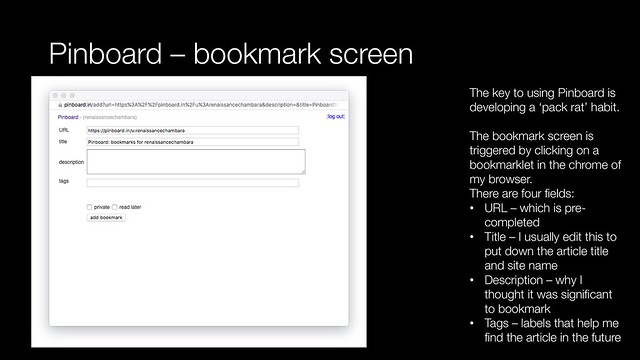
    Pinboard - bookmark screen
    I use a bookmarklet that sits in the chrome of my browser. Every time I come across something that might be of interest, I click on the link and complete a simple form.

    • URL – I only change the link if it is a temporary link such as ‘feedproxy.google.com’. I expand the link or change it to any permalink that is on the page
    • Title – I edit this as necessary to reflect the article title and the website name
    • Description – this is a quick explanation of why I thought the page was significant. It might be an article quote or top statistics mentioned
    • Tags – categories or labels that I assign to an article which allows me to find it based on a relevance. Tags are used by other applications as well

    I use Pinner for iOS on my iPhone. It integrates into the system level sharing functionality. I can create bookmarks on the move as well as at my desk.

    Terminal

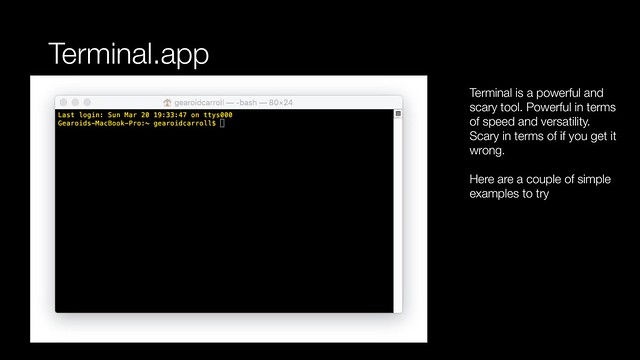
    The Terminal app in OSX allows direct access to the power of the operating system. It is also unforgiving. Getting a command wrong can have serious consequences.
    Terminal app - introduction
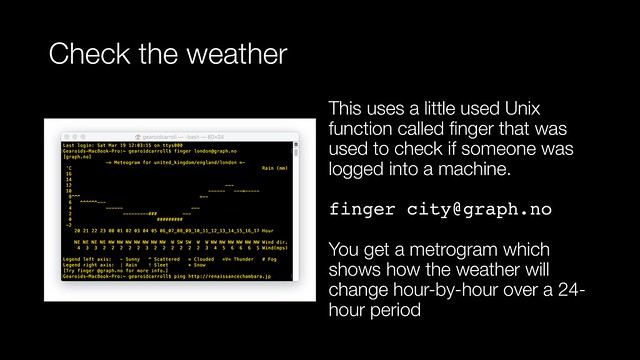
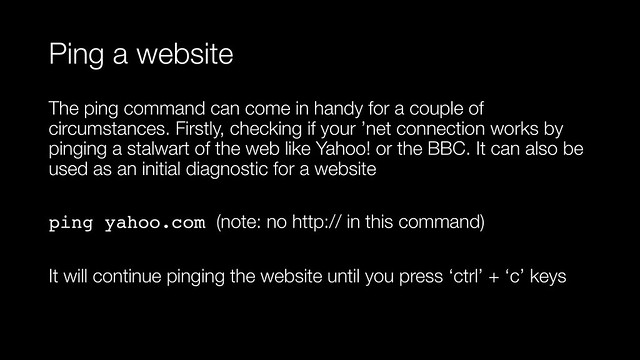
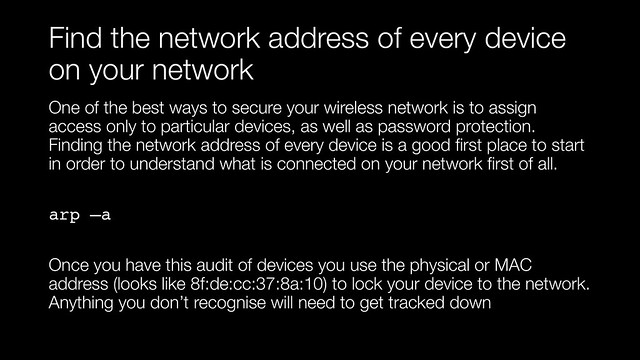
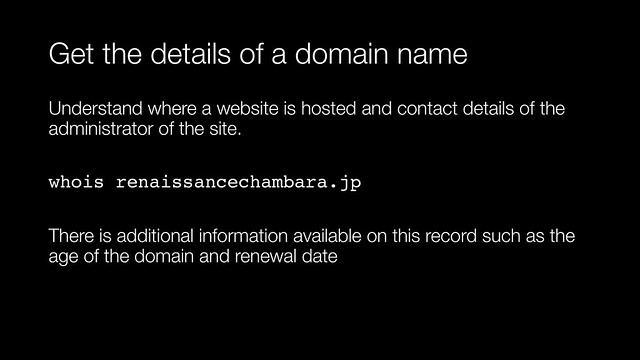
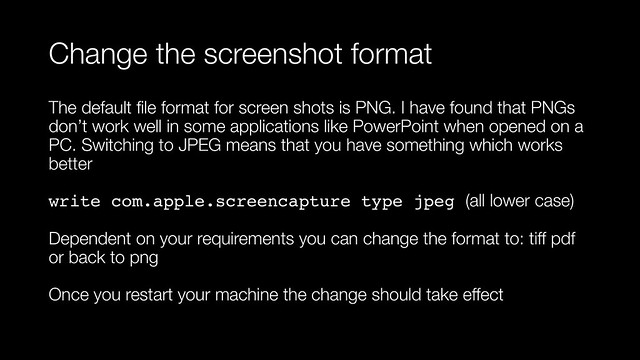
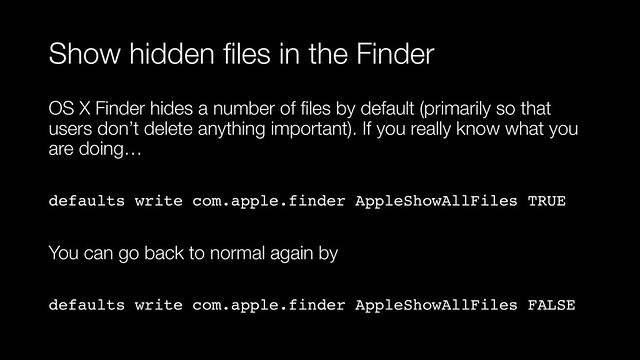
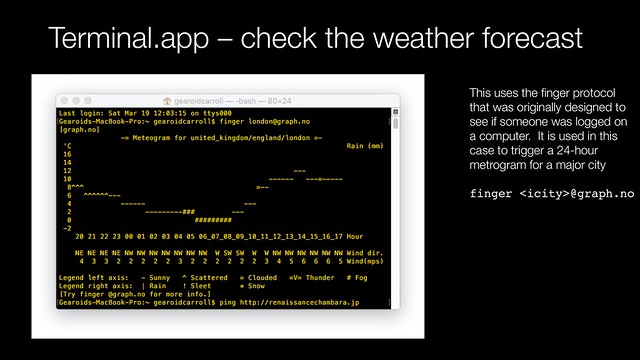
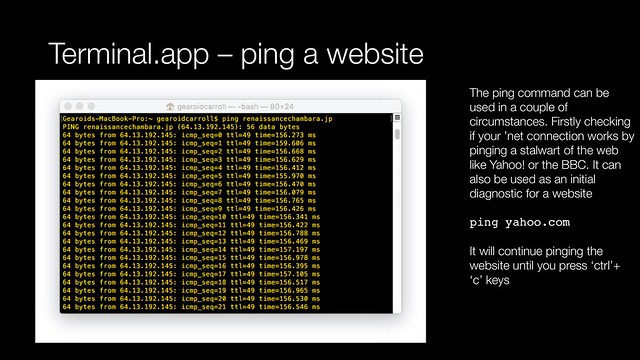
    There are a few things that I can do faster in terminal than via other methods. From checking  differences in documents, to batch processing file archiving. To get you started here are two examples that you can try: to see if a website is up to getting a weather forecast.
    Terminal app - check the weather forecast
    Terminal app - ping a website
    I have a copy of UNIX in a Nutshell from O’Reilly Media on my bookshelf. I use this as a back-up when I can’t remember the proper  syntax or a command. I can also recommend Learning Unix for OS X: Going Deep With the Terminal and Shell also from O’Reilly Media.

    IFTTT

    At the beginning of 2007 Yahoo! launched an experimental product called Yahoo! Pipes. It was flakey, it was unreliable but also revolutionary. Pipes was an easy way to stitch together services without programming expertise. After years of flakey service it was shutdown by Yahoo! in June 2015.
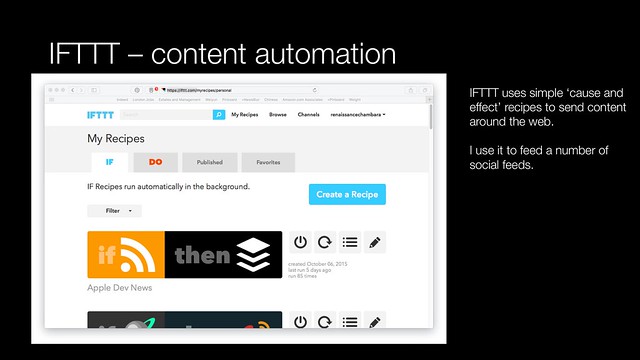
    IFTTT
    Pipes inspired another service IFTTT. IFTTT stands for ‘If then, then that’. It is a simple cause and effect framework that allows for the automation of actions over the web. These cause and effect formulas called recipes. It supports a range of web services and apps. Most of the discussion around this for Intenet of Things automation. I use it to automate my web content content.

    More in part two.

    I pulled part one together in a companion presentation.

    More related content can be found here.

    More information

    Hemingway OSX application

    Pinboard

    Pinner app for iOS

    IFTTT – (If Then, Then That)

    Books

    Learning Unix for OS X: Going Deep With the Terminal and Shell by Dave Taylor

    UNIX in a Nutshell by Arnold Robbins

  • On wearing a smart watch

    At the beginning of the month I took the plunge and decided to buy a Casio G-Shock connected watch. After a week or of wearing a smart watch, I have a pretty good sense of the pros and cons of using it.
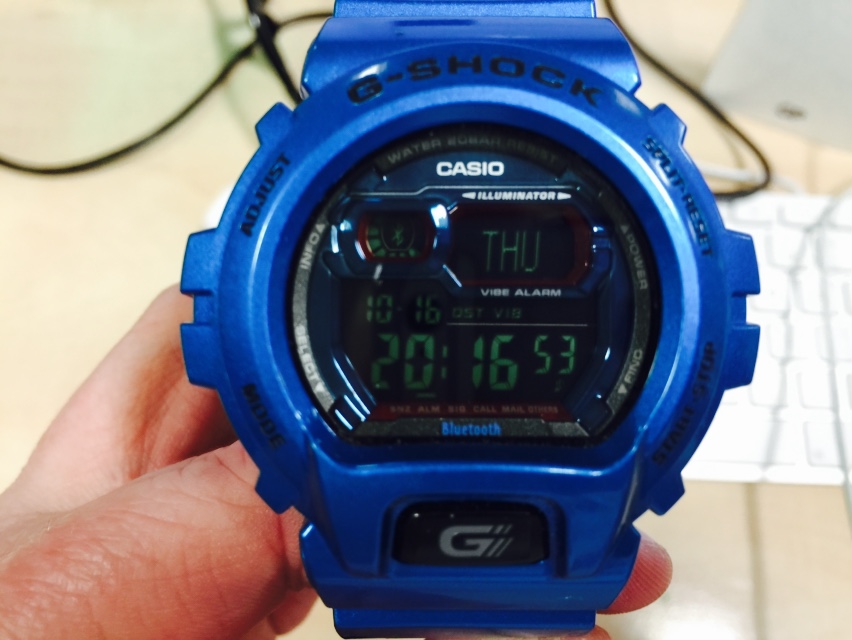
    Casio G-Shock Bluetooth

    The connection with the iPhone makes a major leap forward in the G-Shock experience. Using a G-Shock is rather like using an old computer system like a DEC VAX minicomputer, the experience is modal. Everything revolves around combinations of button pushes to get to the functionality of the watch. Realistically you can’t navigate this process while wearing a smart watch.  The manual is a quarter of an inch thick and the commands not exactly memorable. If you have clumsy fingers or are not paying attention you have to cycle through the complete set of button commands again
    g-shock modal nature
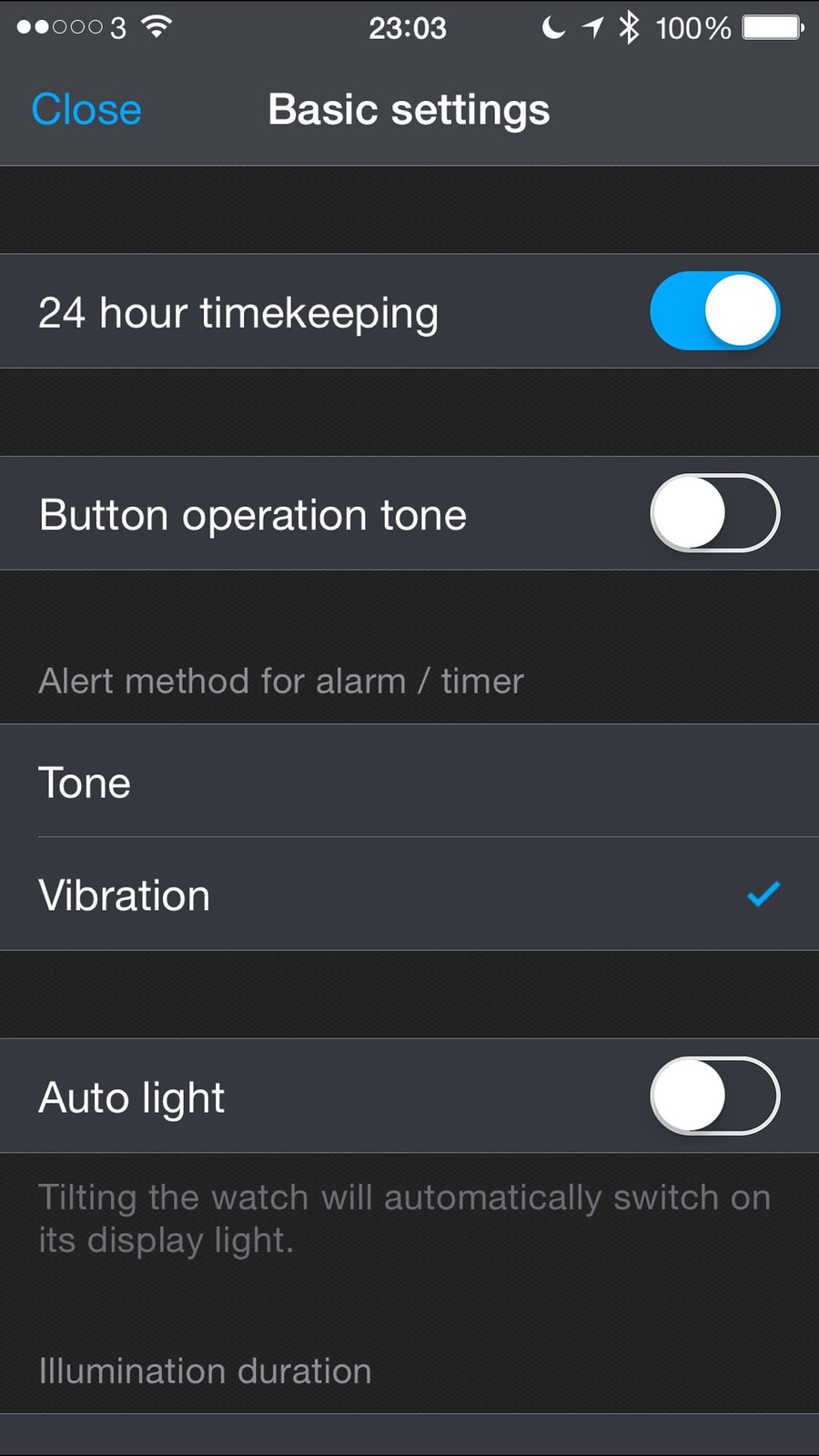
    The G+ iPhone application deals with every setting on the watch bar setting the time and date itself (which still requires a bit of button juggling).
    Untitled
    The achilles heel is battery life. Most of the facilities about the watch are about husbanding a relatively meagre lithium ion battery. What Casio’s engineers managed to achieve is imperfect but impressive. The battery life is the silent hand that ruled all aspects of the product design. In order to have a sealed in battery that lasted more than a day, Casio had to go with an old school battery. Out went modern G-Shock features such as the GPS module and atomic clock radio units used to provide accurate time based on location.

    Out too went the solar power option. Alerts seem to be polled every quarter of an hour for things like email. But then in this connected age, having a message to let me know that I don’t have email would be more noteworthy.

    This all had a number of effects:

    • The watch didn’t alert me to everything – that isn’t a bad thing. I do want my alerts to be consistent, so I shut down alerts from everything but Twitter, calendar and calls. I would have loved to have alerts for WeChat, SMS / iMessage messages, FaceTime and Skype calls but they aren’t on the programme (so far)
    • The watch did cure ‘phantom’ rings. I got to ignore ringtones out in public and at home unless my wrist shook. It also worked well when I couldn’t feel my phone vibrating in my Carhartt jacket
    • I remembered to take my phone with me on more occasions, the watch would vibrate if the Bluetooth link was broken

    The best bit of the phone for me was that it was still a G-Shock, it could be worn in the gym, the shower, whilst shaving, washing dishes or swimming. It is a watch for living rather than a Bluetooth-enabled human leash.

    More information
    On smart watches, I’ve decided to take the plunge

  • Rocket Fuel instant coffee

    I was dubious when I first saw Rocket Fuel with a packaging and copywriting that brought me back to the early 1990s.

    First a velvet rush  like no other of caffeine rich smoothness, then a sustained hit of all natural Guarana

    I presume this is to try and tap into a mind hack caffiene culture like they have in the US where Jolt cola and Penguin caffeineated mints are sold. Rocket Fuel type caffeine culture comes from gamers, hackers and coders. This has spawned a category of ‘stimulation’ drinks, that are small in volume like Asian pick me up products, notably Taisho Pharmaceutical Co., Ltd’s Lipovitan D or House Wellness Foods Corp’s new drink product C1000 Vitamin Lemon.

    These stimulation drinks compete head on with hot coffee and energy drinks like Monster to provide altertness and sustained cognitive performance. 

    As a product Rocket Fuel in essence, is caffeine in two forms: coffee beans and guarana. I presume that one is a faster release than the other so you get more of a sustained caffeine buzz for your buck.

    Unfortunately it looks like its an oversized bottle of amyl nitrate procured from a sex shop for giants. The font flame colour scheme is supposed to evoke the visual language of Lucozade. 

    So what’s it like?

    Firstly, whilst the flavour isn’t for anyone who loves coffee as a drink. It would only compare favourably with coffee, if you liked to drink the likes of Nescafé Original or Maxwell House.

    Secondly, the caffeine up seems to last appreciably longer than when I usually drink instant coffee. This might be psychological, but I feld that it had a more sustained effect than would otherwise be the case. You can get your fix via Amazon if you are that desperate to mainline caffeine. But if you care about your tastebuds go elsewhere.
    Rocket Fuel

    More FMCG related content can be found here.

  • Palm Vx

    When I started agency life I still had a trusty Filofax that had my contacts I had built up from DJing, working in the oil industry and being in college written in barely legible text on address sheets or plastic sheets stuffed with business cards. It had a reassuring heft to it like it contained both the old and new testaments of the bible. In my first 12 months working at the agency, my contacts were further swelled by journalists, suppliers, clients and colleagues stuffed into two Rolodex frames and 99 numbers on the SIM of my then new Ericsson PF 768 mobile phone.In addition to all this, I also had built up a database of over 200  industry contacts on ClarisWorks running on my by now ancient Apple PowerBook. This presented me with the kind of problems that businesses sorted with CRM software. A second problem that I had was making all this data portable. The solution to all this was the Palm Vx.
    Palm Vx
    The only device that was compatiable with my Mac was the Palm series of devices and flush with cash from my first year’s bonus. I got myself a Palm Vx from Expansys. In many respects despite its lack of an always-on wireless connection, the Palm Vx was the benchmark I have in mind when I look at smartphones.

    At its core the smartphone lives or dies by its personal information manager and its ability to sync with your computer for your contacts and calendar. When I used a Palm Vx, I never had the machine brick when I loaded too many contacts on to it, it never endlessly duplicated or corrupted contacts and it didn’t freak out when you scheduled events more than three months ahead.

    Unfortunately the same can’t be said for subsequent devices I owned including Palm’s Treo 600 and 650 phones, or the succession of Nokia devices I owned up until my E90 communicator gave up the ghost and went to the great Carphone Warehouse in the sky.

    The Vx was primitive, which was one of its main strengths:

    • Its screen which showed 16 types of grey was easy to view in direct sunlight
    • It’s electroluminescent backlight allowed you to view it in a darkened room and still have enough battery left to last you a week
    • It didn’t have an app store, but then there wasn’t any productivity sucking software and you could find new applications with your search engine of choice
    • It had to use a stylus for all but the most basic items on the resistive touchscreen, but Palm’s original single stroke handwriting called Graffiti once you got the hang of it is faster to use than the soft keyboard on my iPhone. Unfortunately a long-running patent dispute that went on until 2004 meant that Palm had to move to the inferior Graffiti 2 based on a product called Jot
    • It did allow you to sync your desktop PC’s inbox with your device so you could go through your email on the commute home, but you wouldn’t be bothered by the always connected aspects of push email. Push technology was a big thing then so if you got tired of clearing out your inbox you could read highlights from Wired.com or CNBC via the AvantGo service which sucked in content via your PC that you could then browse through offline at your leisure; in many respects an RSS reader before RSS became well-known
    • Location-based software before GPS was a subscription service called Vindigo that provided recommendations on restaurants, clubs and bars, and shopping. It also had maps that provided turn-by-turn instructions from a look-up table of  directions and was updated by syncing via serial port or USB connected cradle
    • Wireless connectivity was an IrDA infra-red port which was pathetic. I once tried to use it in conjunction with my Ericsson phone to surf the web but it was too much effort to keep both of them lined up. It was perfectly fine though for exchanging business cards electronically. I remember being at a Red Herring conference during the summer of 2000, demoing Palm devices and spent half the time beaming business cards with consultants and lawyers. It involved a curious ritual akin to an animal courtship display where two people would hold their devices in front of each other and move them closer or apart until their contact details had been exchanged. But it seemed to work better than any solution since. Moo cards are now my common currency of information exchange instead

    It was the industrial design of the Palm V and Vx that feels the most prescient parts of the product in many respects. Some of the decisions in this were forced on the designers by the hardware specifications. Palm used to use AAA batteries in their earlier devices and held the OS and resident apps in ROM. ROM was expensive at the time so the V and the Vx had everything in RAM which meant that there always needed to be a power supply which meant they had to use a lithium-ion battery. Since the battery wasn’t designed to be user serviceable the case was hot-glued together. This allowed the industrial designers to make the device much thinner so that it could be slipped into a set of jeans or a shirt pocket and weighed in at a paltry 114g, some 20g lighter than my iPhone without its case.

    The need for a ‘picture frame’ around the screen provided the designers with a way of making the device feel nicer in the hand by making it have rounded edges. It wasn’t that far off the iPhone in terms of size, but felt nicer to hold. When I first got my iPhone 3GS the device felt too wide in my hand. The product design encouraged premium brands like Burberry and Jean Paul Gaultier to make Palm V cases (which is a bit nicer than the silicone rubber jacket most people have on their iPhone. I used to have a slider case by a company called Rhinoskin made out of laser cut titanium plate that was indestructable.

    At the bottom of the Palm V and Vx was a connector that Palm continued to use on the M500-series devices. This connector meant that lots of companies made great accessories. A company called OmniSky sold a GSM modem that the PDA slotted into, ThinkOutside made the best folding keyboard I have ever used, again using the connector at the bottom to connect with the PDA. I once wrote a by-lined article on the train back from London to Liverpool without any at seat power and with both the keyboard and the Palm Vx slipping into my jacket pocket when I reached Liverpool Lime Street. Something I just couldn’t do with the iPhone due to its greedy battery life and the bulky keyboard accessories currently available.

    Looking back on it, the Palm Vx was the high point of of Palm the company. Missed technological opportunities, numerous management issues, poor quality product and software engineering together with wider market technological progress meant that the company and the PalmOS developer eco-system was a shadow of its former self by the the time the company was sold to HP.

  • Sina Weibo microblogging service

    China has its own unique ecosystem of web properties and Sina Weibo is the latest of them. It has a passionate blogging culture where some blogs by celebrities, experts and populist pundits can attract an audience of millions. Sina.com is a portal and blogging platform. They also have the most popular micro-blogging service. I thought I would have a poke around it and try to work out how it was to use despite my complete lack of ability to speak or read Chinese.  Here is my account details, feel free to friend me.

    So what’s Sina Weibo like?

    Whilst Sina Weibo is similar to Twitter it is a much more fully-formed service. Signing up was pretty straight forward and Weibo tried to recommend 20 existing members that I should follow, my favorite being the feed for a branch of the Chinese police. They have a name which Google translates into English as ‘Starsky Guardian‘ – that alone is a cool enough reason to follow them.

    I quickly managed to get the service to accept the RSS feed from this blog and convert it into alerts on the Weibo service. (In order to give a potential audience something to read, I have started carrying bilingual titles to my posts in pidgin Chinese courtesy of Google Translate. I try and boil the title down into a simple concept of two or three words and then hit the translate button). Something that I would have done on Twitter through a third-party service like ping.fm, dlvr.it or twitterfeed.

    Weibo also has a built-in URI shortener, but it has no analytics for seeing how many people click on a link. So marketing campaigns on Weibo could be harder to measure than on Twitter. As far as I can tell Weibo gives you a lot less opportunity to alter the look-and-feel of your account to reflect your personal brand than the likes of Twitter.

    Another absence that I noticed about Weibo was the lack of spam invites or follows from people wanting to sell me Viagra or fake watches. I suspect that Sina.com must carefully tend its community, partly to ensure government compliance, but a secondary benefit is fostering a better community online.

    In conclusion I think that  Sina Weibo provides consumers with a superior experience to Twitter, but as a marketer Twitter offers more opportunity for brand communicators. More online related content here.